Ever noticed that Ambient Occlusion doesn’t happen in the real world in lit areas? It’s more of a darkness thing… so why apply it everywhere?
With this Rendertree compound you have AO in darkness and that’s it. Simple! 🙂
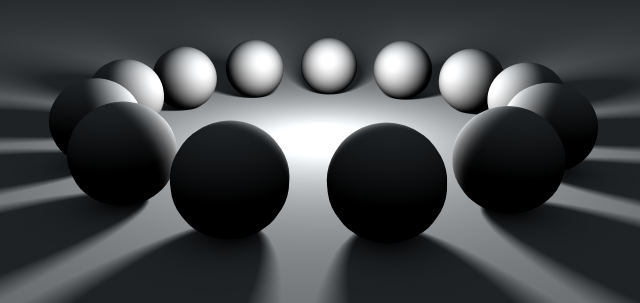
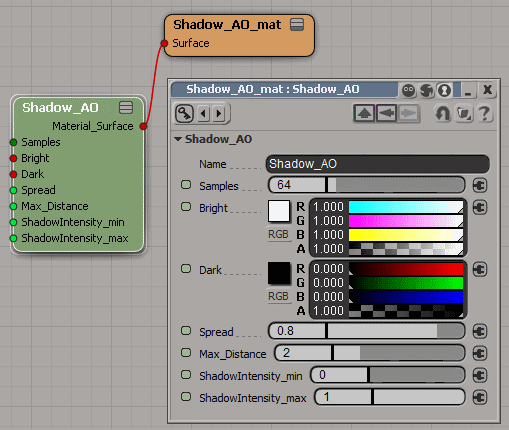
Now….. can you spot the differences between these images below?
Diffuse pass, boring looking, no AO:
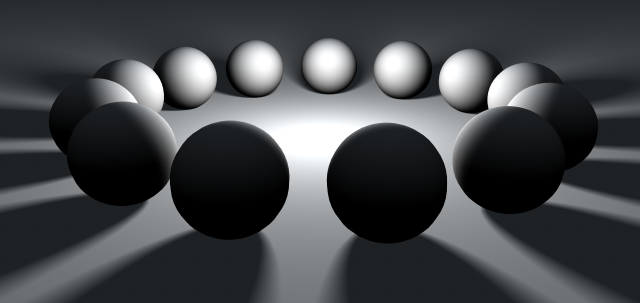
BAD — Sloppy AO that’s been applied everywhere: (notice how dirty it looks towards the center light)
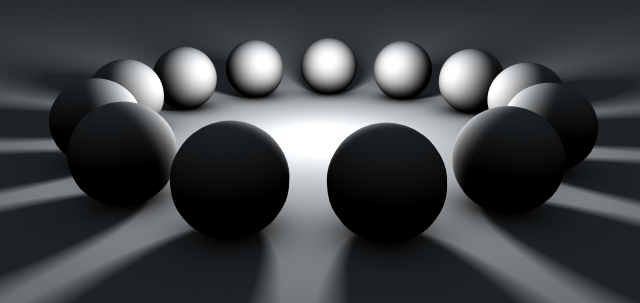
GOOD — Shadow-aware AO, only exists where it should… in darkness:
Credit where credit is due; this method was originally pointed out by Guy Rabiller many years ago, back when our software was called a 3 letter word.

9 replies on “Rendertree Compound: Shadow AO”
The compound is simple, but very intelligent!. Thanks
Nice tip, very useful for realistic lighting.
nice compound !
and BTW I just love your site,
the way snow dots fall and how the
images smoothly appear when i scroll down.. 🙂
i know its completely irrelevant,
but i can’t help myself
A very useful tool
This is brilliant! Silly question though, how do you install this rendertree compound?
You can use it without installing by dragging the .xsirtcompound file directly into a rendertree, but you can also install it to your user root under \Data\Compounds\.
If you don’t know where the User Root is, go to File->Plugin Manager, rightclick on “User Root” (next to a green folder icon) and click Explore. In the folder that pops up, go into the Data folder, then if you don’t see a “RTCompounds” folder, make one and put the .xsirtcompound file in it. After that, next time you open Softimage it will appear as a custom rendertree node if you search for it.
If you have any problems leave another comment reply.
Exelente
I like that .thanks very much
fantastic! thank you!