A lot of people are unaware of the possibilities of the ExtrudeOp operator. See below…
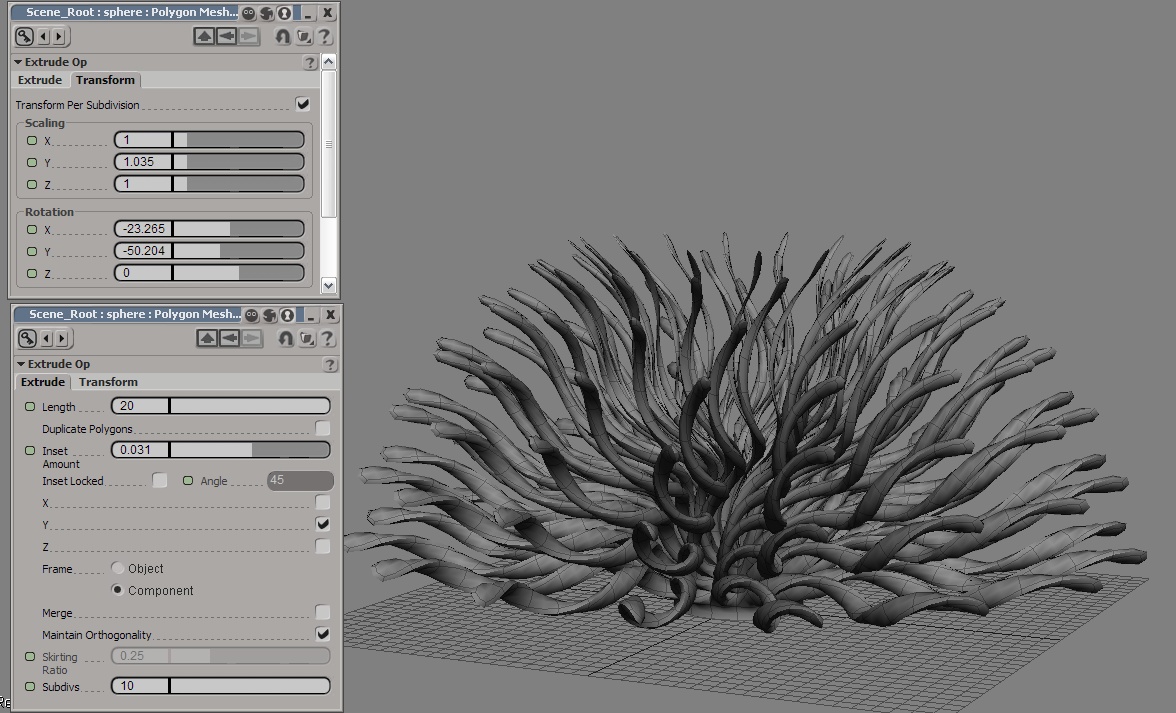
Try this yourself:
- Get a sphere. (My screenshot example was a half-sphere.)
- Select all polys. (Press Y to enter poly mode then Ctrl+A to select all.)
- Press Ctrl+D to Extrude.
- In an Explorer open your object’s operator stack, find the ExtrudeOp and open its PPG.
- Turn off Merge, then fiddle with Length, Inset Amount and Subdivs.
- Then in the Transform tab, play with the sliders there.
You can get some very interesting (and often abstract) results! 😉
*UPDATE [21/05/10]*: A buddy of mine who uses Maya informs me that the mayan Extrude has options to do this as well if you peek in the channel box. Just so you know. 😉